What Are AI Agents — And Why They're Replacing Entire Teams in 2026
The shift from AI chatbots to AI agents is happening right now. Here’s what it means for you.

The Problem: You’re Drowning in AI Tools (And They’re Not Actually Helping)
Here’s the blunt fact: most freelancers and solopreneurs don’t fail because they lack skills. They fail because they’re drowning in AI tools.
You’re juggling ChatGPT for content, Claude for analysis, Google Sheets for tracking, Zapier for automation, and 47 browser tabs trying to make them talk to each other.
The result? You’re spending 40% of your time managing tools instead of doing actual work.
I tested this myself. Over the last 6 months, I’ve evaluated 50+ AI platforms. And here’s what I discovered: most “AI tools” don’t execute work. They just answer questions.
That changed everything when I learned the difference between AI chatbots and AI agents.
The Chatbot Trap: ChatGPT Answers. AI Agents Execute.
Before we go further, let’s be clear about what you’ve been using.
ChatGPT, Claude, and Google Gemini are chatbots. They’re incredible tools, but they have a fundamental limitation: you have to ask them for everything.
You write a prompt. They answer. Then you copy the answer. Then you paste it somewhere. Then you move to the next task. It’s manual. It’s serial. It takes time.
AI agents are different.
An AI agent doesn’t just answer your question. It executes a complete workflow for you. While you’re in a client meeting, the agent is researching, drafting, editing, and organizing everything you asked for.
The distinction matters. Most people don’t know it. That’s why they’re still using ChatGPT for things that AI agents could do 10x faster.
What Are AI Agents? (The Simple Version)
An AI agent is an autonomous AI system that can:
- Understand your goal — You say “create a content calendar for Q2”
- Break it into steps — The agent identifies all the sub-tasks needed
- Execute each step — Research trends → draft ideas → structure calendar → fill in dates
- Remember context — It knows what you said earlier, so it doesn’t repeat questions
- Use tools — It can access APIs, databases, web search, your files
- Learn from feedback — Each time you refine its work, it gets better
Think of it like this: ChatGPT is a smart intern you talk to. An AI agent is a smart intern who actually does the work.
How AI Agents Actually Work (4 Key Components)
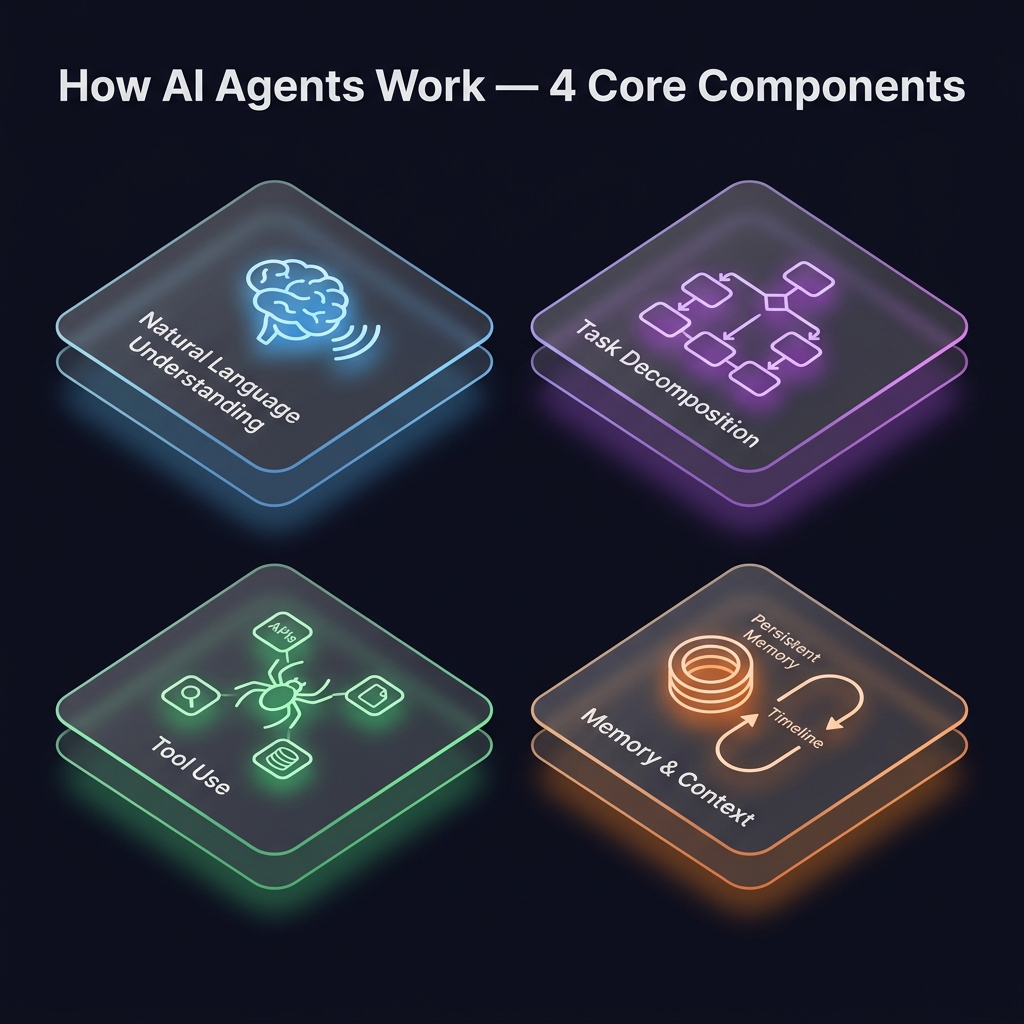
1. Natural Language Understanding The agent reads your request in plain English and figures out what you actually need, not just what you literally asked.
Example: You say “I need a competitor analysis.” The agent knows this means: research 3-5 competitors → gather their pricing → analyze their features → create a comparison table → suggest your competitive advantages.
2. Task Decomposition The agent breaks your big goal into smaller, executable steps. This is where the magic happens.
Instead of you figuring out the 12 steps, the agent does it automatically.
3. Tool Use The agent can use multiple tools in sequence:
- Search the web for current information
- Access your Google Drive files
- Query databases
- Call APIs (Stripe for pricing, Twitter for trending topics)
- Generate images with Midjourney
- Execute code to process data
4. Memory & Context The agent remembers previous conversations, so you don’t have to repeat context. It builds on previous work instead of starting from scratch every time.
Chatbots vs AI Agents: Side-by-Side
Here’s the honest comparison:
| Feature | ChatGPT (Chatbot) | AI Agent |
|---|---|---|
| Execution | Answers questions | Executes full workflows |
| Autonomy | Manual prompting required | Runs without interruption |
| Context | Resets each conversation | Maintains persistent memory |
| Tool Use | Limited (just text) | Accesses APIs, files, databases |
| Task Chaining | You chain tasks manually | Agent chains them automatically |
| Speed | Fast at one task | 5-10x faster on multi-step projects |
| Learning | Doesn’t retain feedback | Learns your preferences over time |
| Use Case | Quick answers, brainstorming | Project execution, automation |
| Setup Time | Zero (just start using) | 30 min - 2 hours (worth it) |
AI Agents in Action: 3 Real Use Cases (This Could Be You)
Use Case #1: Content Marketing Automation (30 hours → 3 hours)
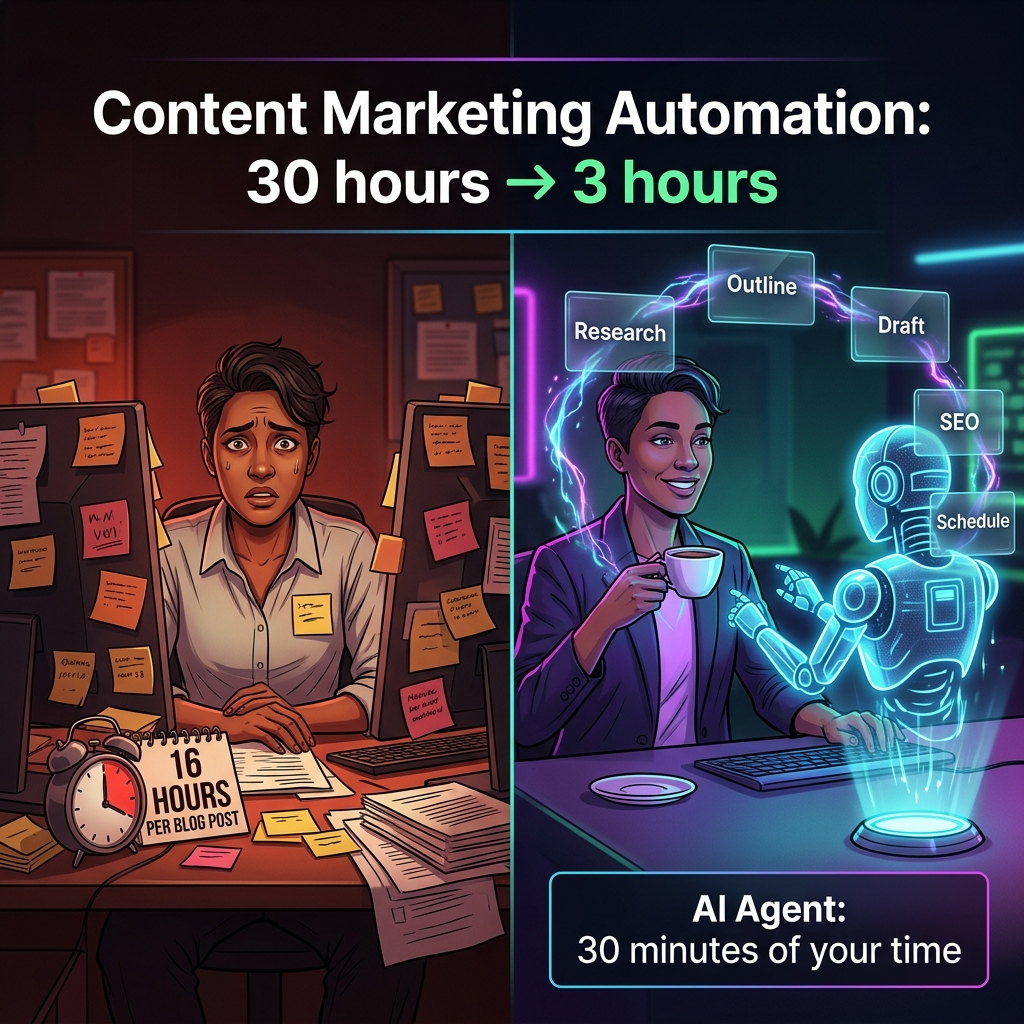
Before (Manual):
- You spend 3 hours brainstorming blog topics
- 2 hours researching competitors
- 4 hours writing the first draft
- 3 hours editing
- 2 hours optimizing for SEO
- 2 hours scheduling on social media
- Plus manual outreach to 50+ places to promote it
Total: 16 hours per blog post
With an AI Agent:
- You tell the agent: “Create and publish a blog post about AI agents for solopreneurs”
- The agent researches trends on Twitter, Reddit, and competitor blogs
- The agent writes an outline based on search intent
- The agent drafts the full post with SEO optimization
- The agent generates 5 social media variations
- The agent schedules everything across your blog, Medium, LinkedIn, and Substack
Total: 30 minutes of your time + 2.5 hours of agent execution time while you work on something else
You’re not saving 16 hours. You’re freeing yourself to do 5 projects in the time you used to do 1.
Use Case #2: Passive Income System Setup (1 week → 1 day)
The Old Way:
- Research affiliate programs (3-4 hours)
- Set up tracking spreadsheet (2 hours)
- Create content calendar (3 hours)
- Write landing page copy (4 hours)
- Design email sequence (5 hours)
- Set up automation in Zapier (3 hours)
- Test everything (4 hours)
Total: 24 hours of work. Spread over 1 week.
With an AI Agent:
- Tell the agent: “Build a passive income system using Product X’s affiliate program”
- The agent researches the program details
- Creates a content calendar for 90 days
- Writes 10 landing page variations
- Drafts an email sequence
- Sets up integrations between your tools
- Tests the entire system
- Reports back with ROI projections
You review it once. The agent handles the execution.
Total: 4-6 hours of agent work. You’re involved for 30 minutes (instruction + review).
Use Case #3: Client Research & Proposal Generation (10 hours → 45 min)
Freelancers and agencies:
Old way: You manually research each prospect, create a custom proposal, gather case studies, etc.
With an AI agent:
- Tell it: “Generate a proposal for an e-commerce client selling premium coffee online”
- The agent researches the client’s market
- Analyzes competitor strategies
- Pulls relevant case studies from your portfolio
- Writes a customized proposal with pricing tiers
- Includes implementation timeline
- Adds ROI projections
You customize 1-2 sections. Done.
Total execution: 45 minutes instead of 10 hours.
For a real 30-day version of this with actual numbers, read How I Replaced My 5-Person Team with AI Agents.
How to Get Started with AI Agents (Quick Roadmap)
Here’s the blunt truth: it’s simpler than you think. You can set up your first agent in 30 minutes.
Step 1: Choose Your First Use Case (5 minutes)
Don’t try to automate everything. Pick ONE thing that:
- Takes you 3+ hours per week
- You do repeatedly
- Would be the same each time
Examples:
- Weekly content calendar creation
- Lead research and outreach
- Email campaign setup
- Report generation
- Data analysis
Step 2: Pick Your Platform (10 minutes)
You have three main options:
Option A: Claude Code (No-code)
- Best for: Marketers, content creators, non-technical folks
- Setup: 10 minutes
- Cost: Free (with Claude subscription)
- Features: Task-specific agents, custom prompts, file handling
Option B: n8n (Visual Workflow)
- Best for: Teams who want flexibility
- Setup: 30 minutes
- Cost: Free (self-hosted) or $20-500/month
- Features: Visual workflow builder, 400+ integrations
Option C: Make (Formerly Integromat)
- Best for: Zapier users upgrading
- Setup: 20 minutes
- Cost: Similar to Zapier ($10-100/month)
- Features: Drag-and-drop, easy Zapier migration
For most solopreneurs: Start with Claude Code. It’s the fastest path to your first agent.
Step 3: Build Your First Workflow (15 minutes)
Here’s a concrete example to copy:
Workflow: Weekly Content Idea Generator
Goal: Generate 10 blog ideas every Monday morning

Steps:
1. Agent reads your top 5 competitor blogs
2. Agent searches Google Trends for your niche
3. Agent checks your past content (what got engagement)
4. Agent generates 10 unique ideas based on gaps
5. Agent ranks them by expected traffic
6. Agent emails you the list

Inputs: Your niche, competitor URLs, email
Outputs: Ranked list of 10 blog ideas (emails to you)
Time to build: 15 minutes in Claude Code
You could build this in 15 minutes. It would save you 3 hours a week.
The Honest Drawbacks (And When NOT to Use Agents)
I want to be direct about this: AI agents aren’t perfect. There are real limitations.
Learning Curve
The first agent takes 30 minutes to set up. The second takes 10 minutes. But there’s still a learning curve. You need to get good at writing instructions that are specific enough.
Bad instruction: “Write some marketing copy” Good instruction: “Write a 3-sentence email subject line for a SaaS product targeting freelancers. Focus on pain point: running out of time. Tone: casual, no hype, direct. Include number/emoji.”
The fix: Most platforms have templates you can copy. You don’t build from scratch.
Cost
Depending on your platform and usage:
- Claude Code: Included in $20/month subscription
- n8n: Free to $500+/month depending on tasks
- Make: $10-100/month depending on operations
Is it worth it? If an agent saves you 5 hours a week, that’s 260 hours per year. At $50/hour, that’s $13k in recovered time. So yes, even $100/month is a 130x ROI.
Not Perfect for One-Off Tasks
If you need something done once, an agent is overkill. Just use ChatGPT.
Agents are for repeated workflows. The more you repeat a task, the better the ROI.
Needs Clear Instructions
Agents work best when you can describe exactly what you want. If you don’t know what success looks like, an agent will struggle.
When to use an agent: Content calendars, email sequences, research, data processing, reporting When NOT to use an agent: One-time creative brainstorming, nuanced strategic decisions, anything requiring human judgment
The Real Advantage: Scaling Without Hiring
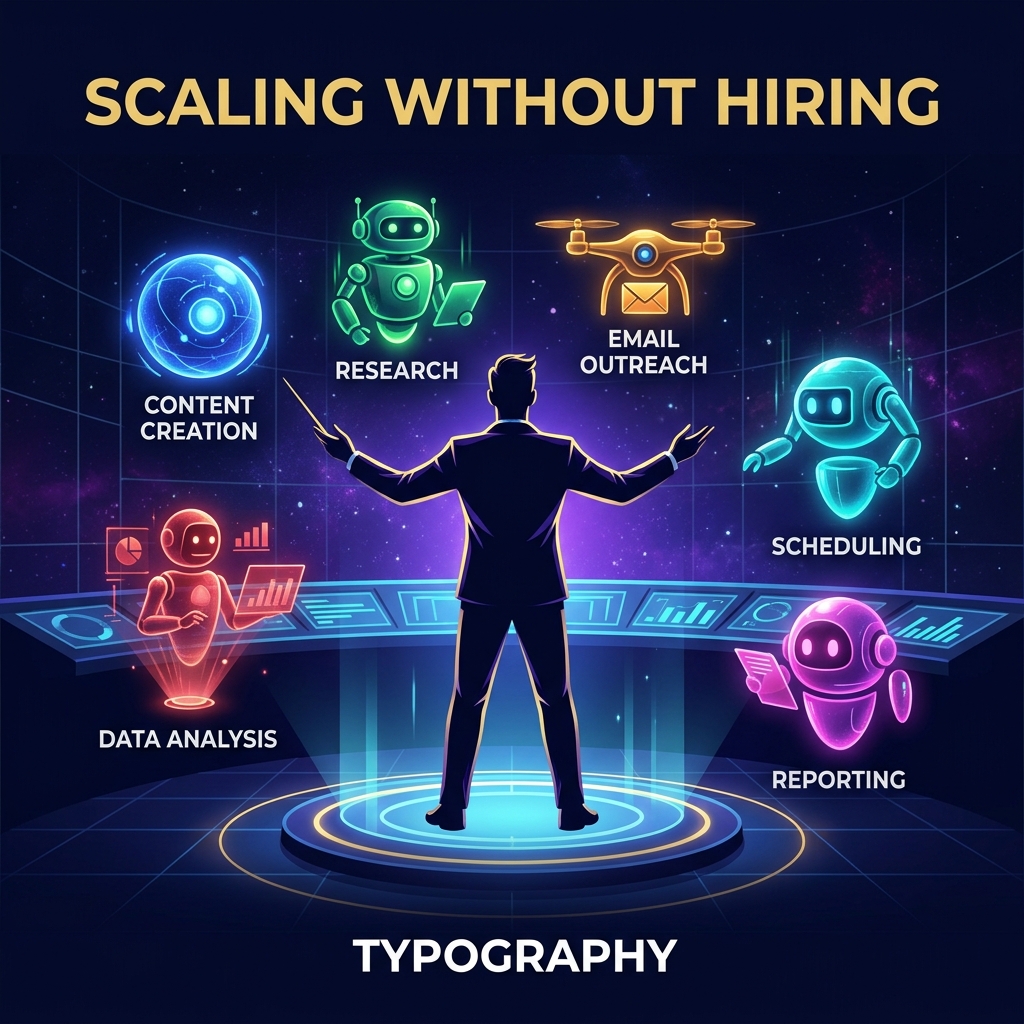
The AI agent revolution isn’t about replacing people.
It’s about letting one person do the work of a small team.
Most solopreneurs and freelancers can’t afford to hire. So they stay stuck doing 50 things poorly instead of 5 things well.
AI agents fix this. You automate the 50 things (or at least 30 of them). Now you can focus on the 5 things that actually matter.
Here’s what happens over 12 months:
- Month 1-2: You build 2-3 core agents
- Month 3-4: You’re saving 10 hours per week
- Month 5-6: You’ve taken on more clients/projects
- Month 7-12: You’re doing 2x the work with the same time investment
That’s scaling without hiring.
Your Next Step
Here’s what I recommend:
- Pick one thing you do every week that takes 3+ hours
- Spend 30 minutes setting up an agent to automate it
- Watch it work for 2 weeks
- See the time savings
- Build the next agent
Don’t try to automate everything at once. Start with one workflow. Prove the concept. Build from there.
The cost is free (if you use Claude Code) or $10-50/month if you pick another platform.
The upside? 5-10 hours per week of recovered time. That’s 260 hours per year.
Frequently Asked Questions
- What is the main difference between AI agents and chatbots?
- Chatbots answer questions when you prompt them. AI agents execute complete workflows autonomously without requiring manual prompting for each step.
- How long does it take to build an AI agent?
- Your first agent takes 30 minutes to set up. Subsequent agents typically take 10-15 minutes as you learn the platform.
- Do I need coding skills to create AI agents?
- No. Modern AI agent platforms like Claude Code and Make are designed for non-technical users. You describe your workflow in plain English.